The best label makers range from pocket-size organizers to wider printers for product and shipping labels, so start with the label sizes and devices you need to use. Then compare app features, connectivity, and included tape or rolls to find a practical match for home, school, or small-business work.
Quick Top Products
Phomemo D30 Label Maker
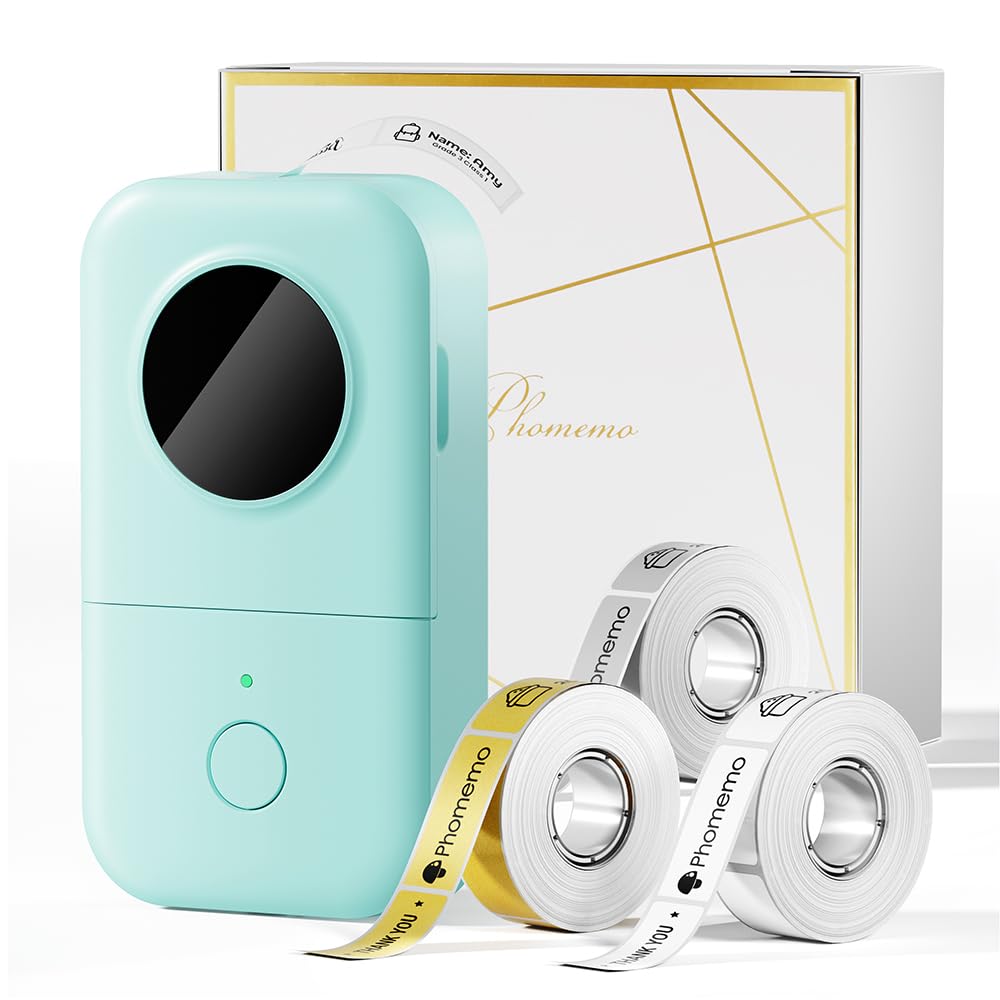
- Works with continuous tape and fixed-length labels.
- Includes white, gold, and clear tapes.
- App tools include templates, symbols, and QR codes.
Best For: Home and school users who want a portable phone-connected printer with varied templates.

Nelko P21 Label Maker
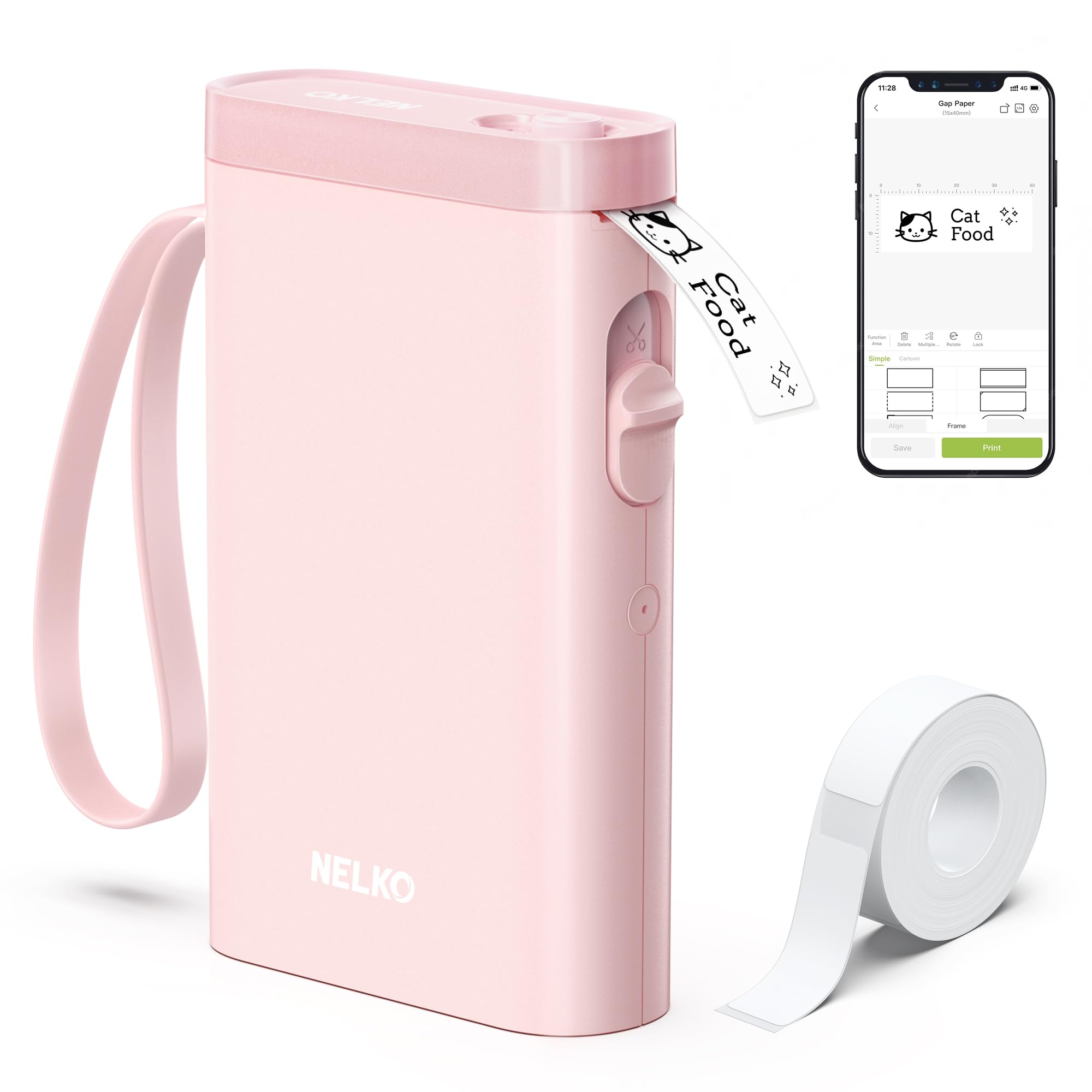
- Pairs with iOS and Android phones through Bluetooth.
- App has more than 750 templates and 3600 icons.
- Prints fixed-length labels, not continuous tape.
Best For: Phone users who want a small labeler for home, office, or classroom tags.
NIIMBOT D101 Label Maker
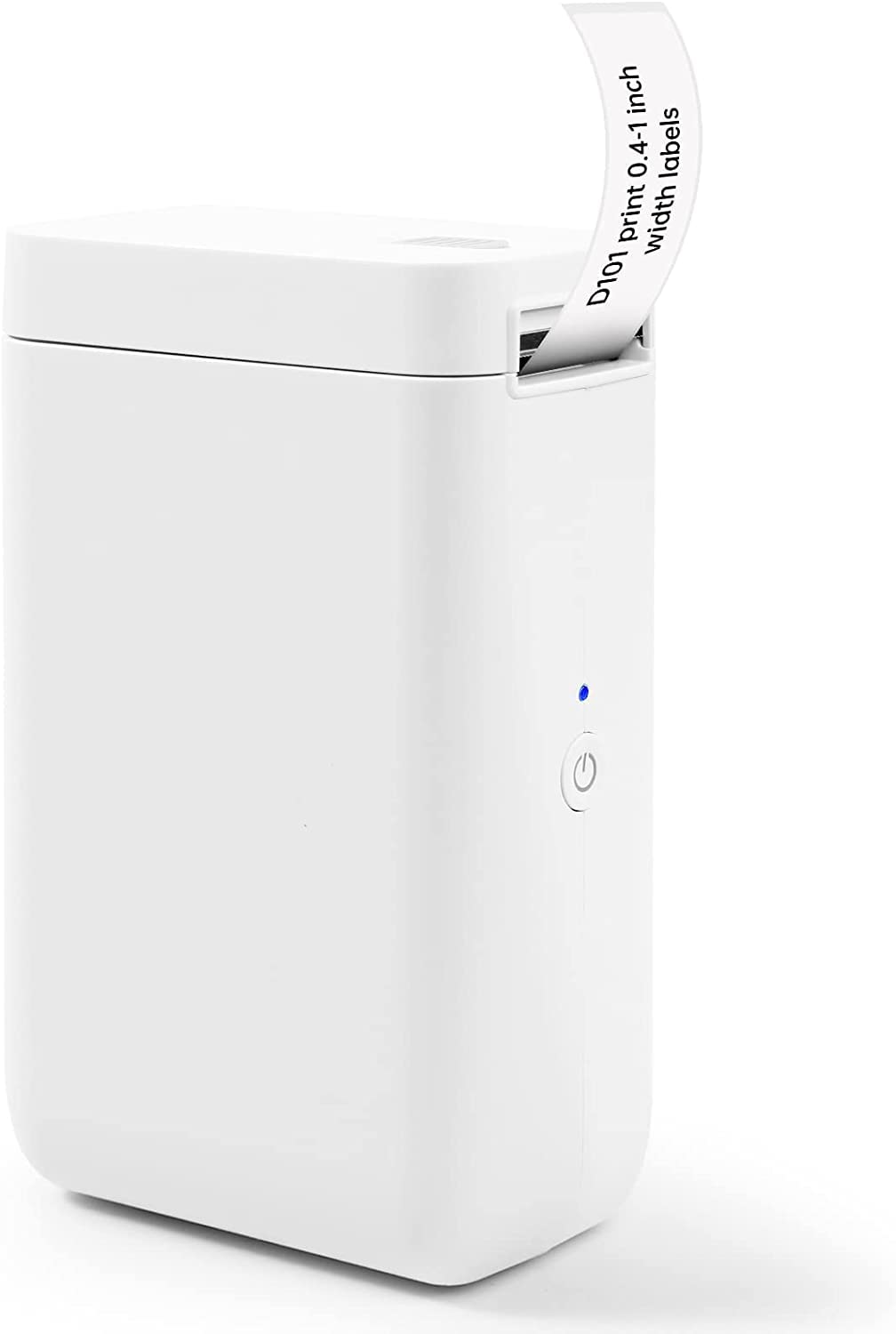
- Supports 0.5-inch and 1-inch tape widths.
- Creates barcodes, QR codes, logos, and other graphics.
- Rechargeable battery is described as lasting up to two months per charge.
Best For: Home organizers who want rechargeable phone-based printing across two label widths.
Phomemo P12 Label Maker
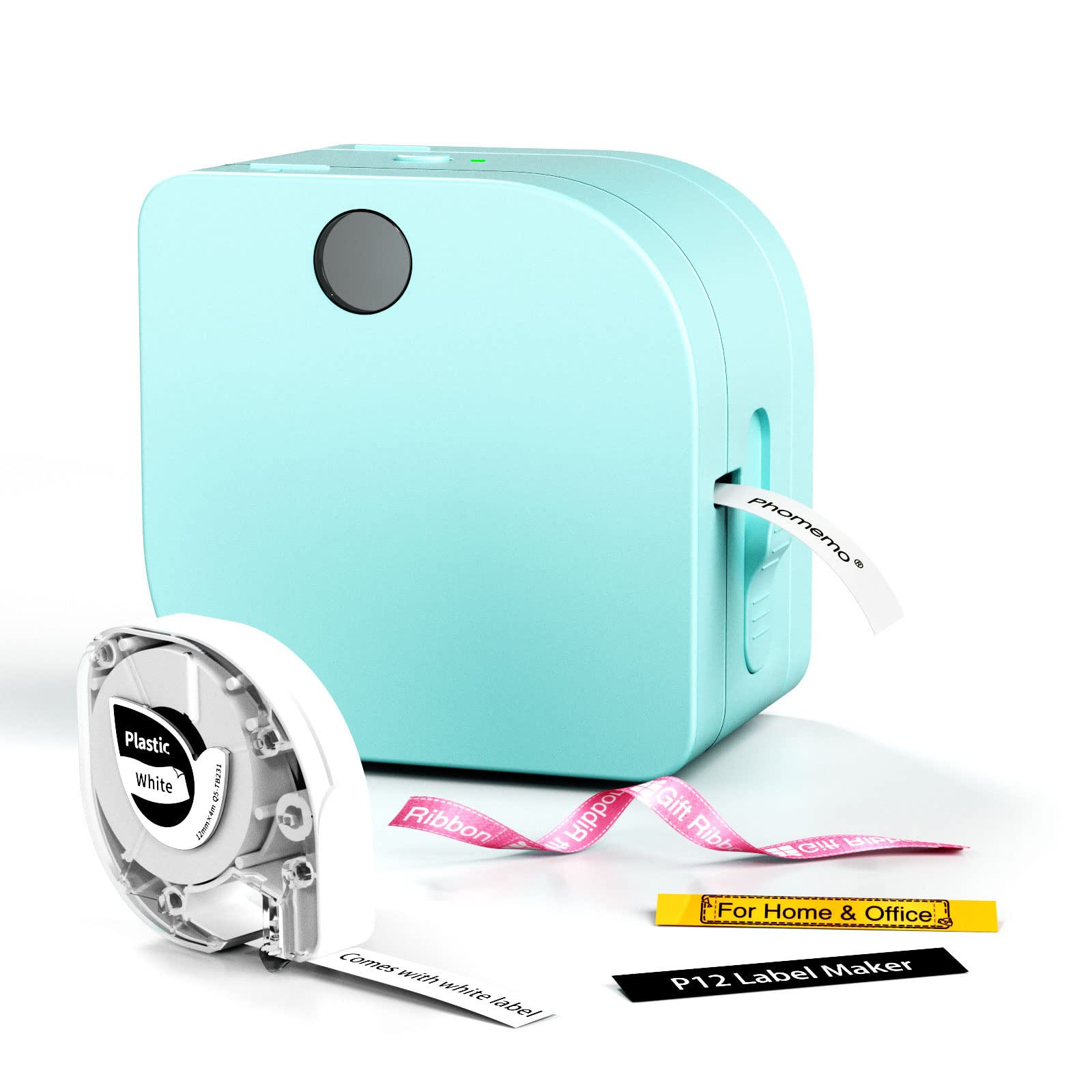
- Supports thermal labels and thermal transfer labels.
- Includes a built-in cutter and continuous printing support.
- Can be powered by USB-C or six AAA batteries.
Best For: Crafters and home users seeking a compact maker for both ordinary and specialty labels.
Memoqueen M110 Label Maker
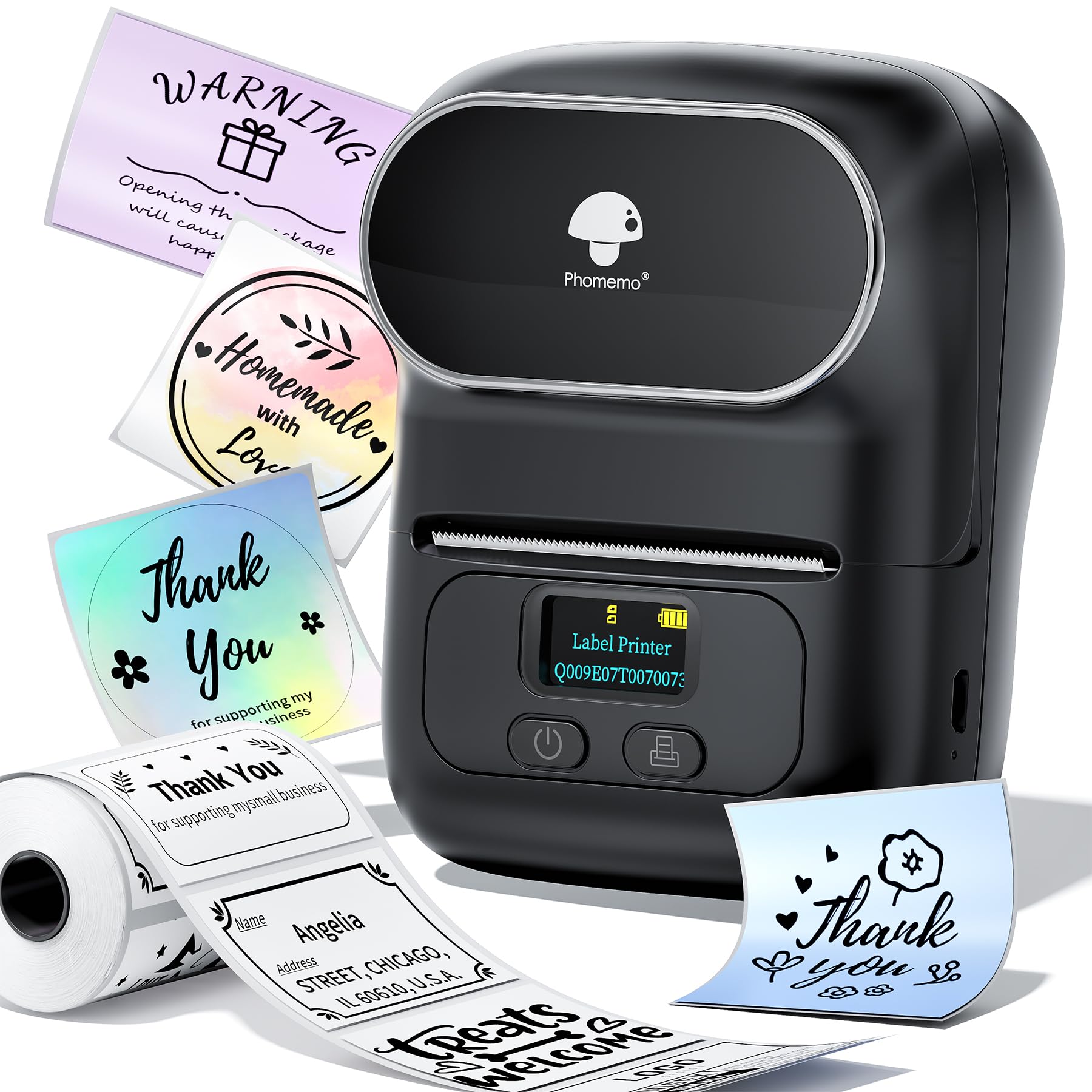
- Supports 20–50 mm label widths.
- Includes a 40-by-30 mm thermal label roll.
- App supports Excel batch printing and OCR.
Best For: Small businesses that need mobile label design and batch printing on narrow stock.
Phomemo M221 Label Maker
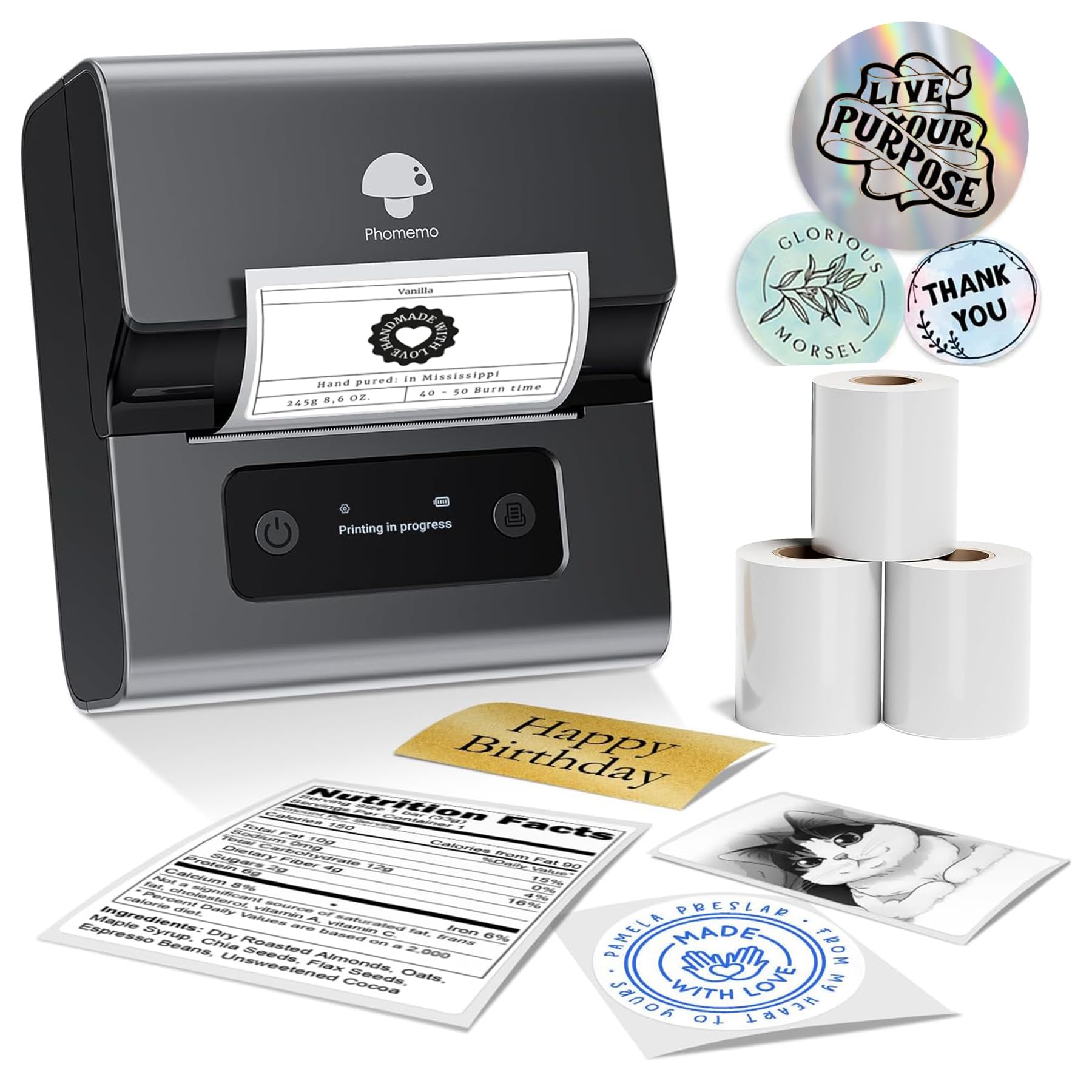
- Supports labels 0.78 to 3.14 inches wide.
- Connects to phones, tablets, or PCs over Bluetooth.
- Roll loading does not require tools or separate parts.
Best For: Small businesses and home offices that need labels wider than pocket-size tape.
Nelko PL70E Shipping Label Printer
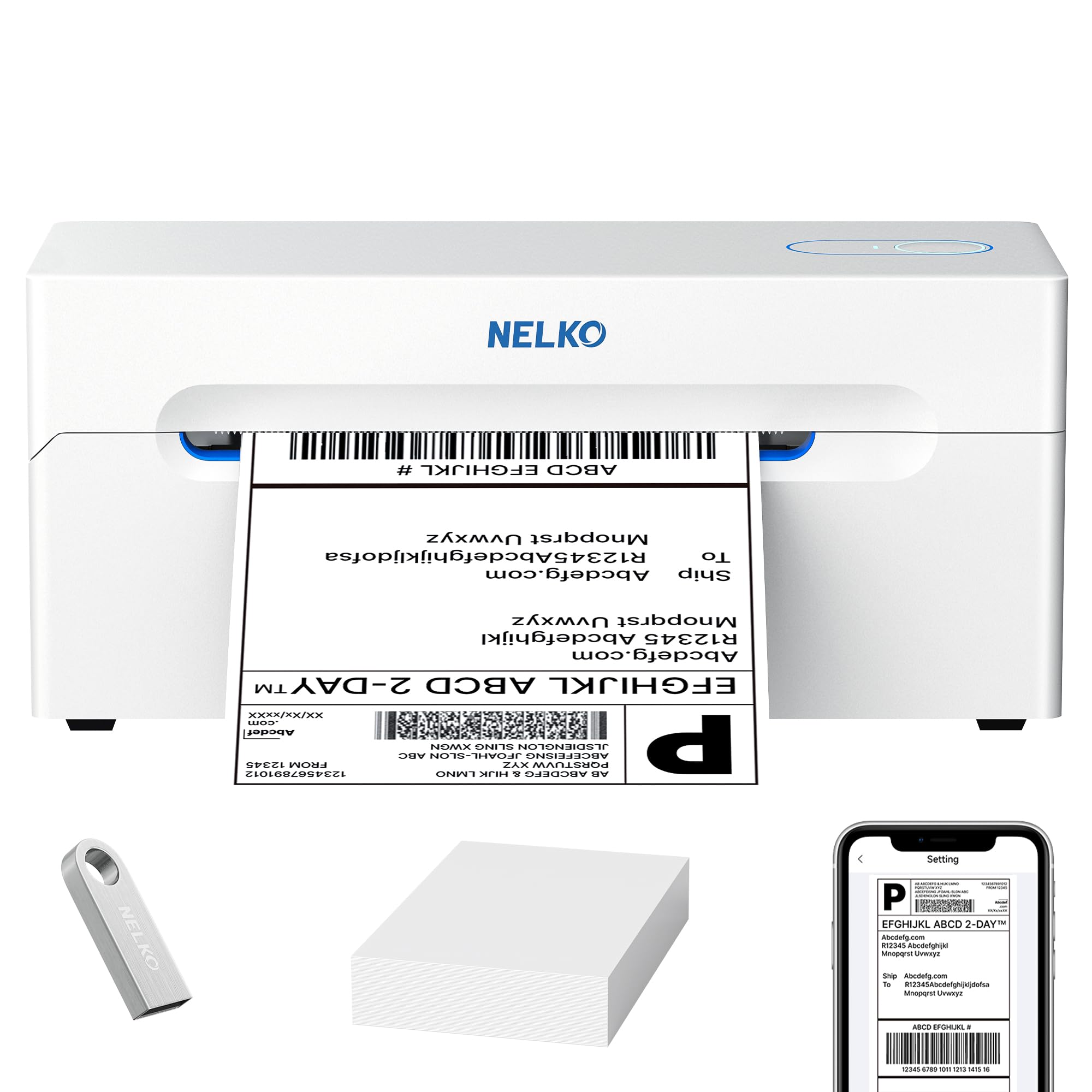
- Supports 1.57-to-4.1-inch label widths in roll or fanfold form.
- Provides wireless and USB connection options.
- Print speed is up to 72 sheets per minute.
Best For: Small sellers who want a 4-by-6 shipping workflow with wireless and USB connections.
Phomemo High-Speed Shipping Label Printer
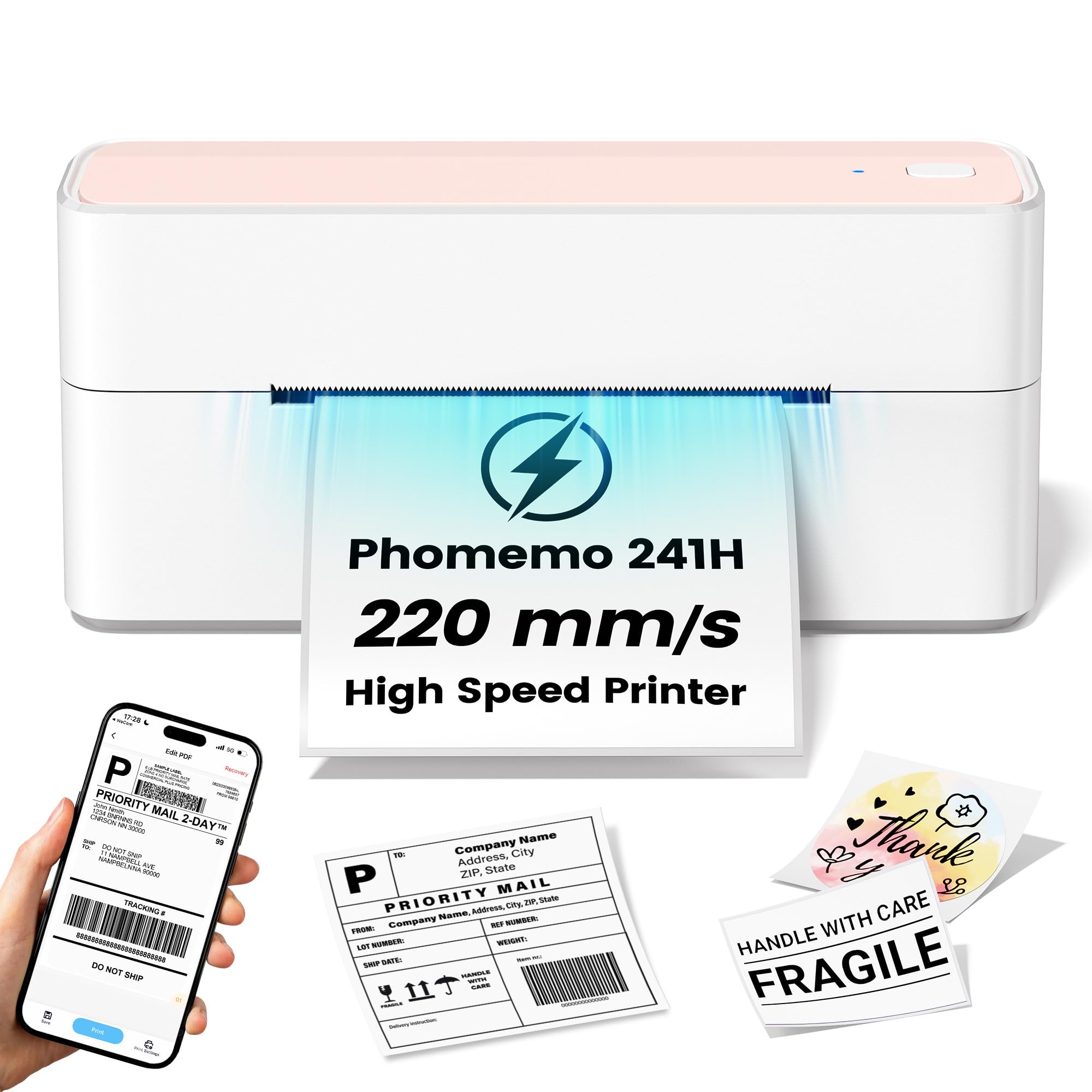
- Print speed is listed at 220 mm/s and up to 80 labels per minute.
- Supports Windows, Mac OS, and Linux over USB.
- Automatic label recognition and calibration help align labels.
Best For: Online sellers printing frequent 4-by-6 labels from a USB-connected computer.
Phomemo M220 Label Maker
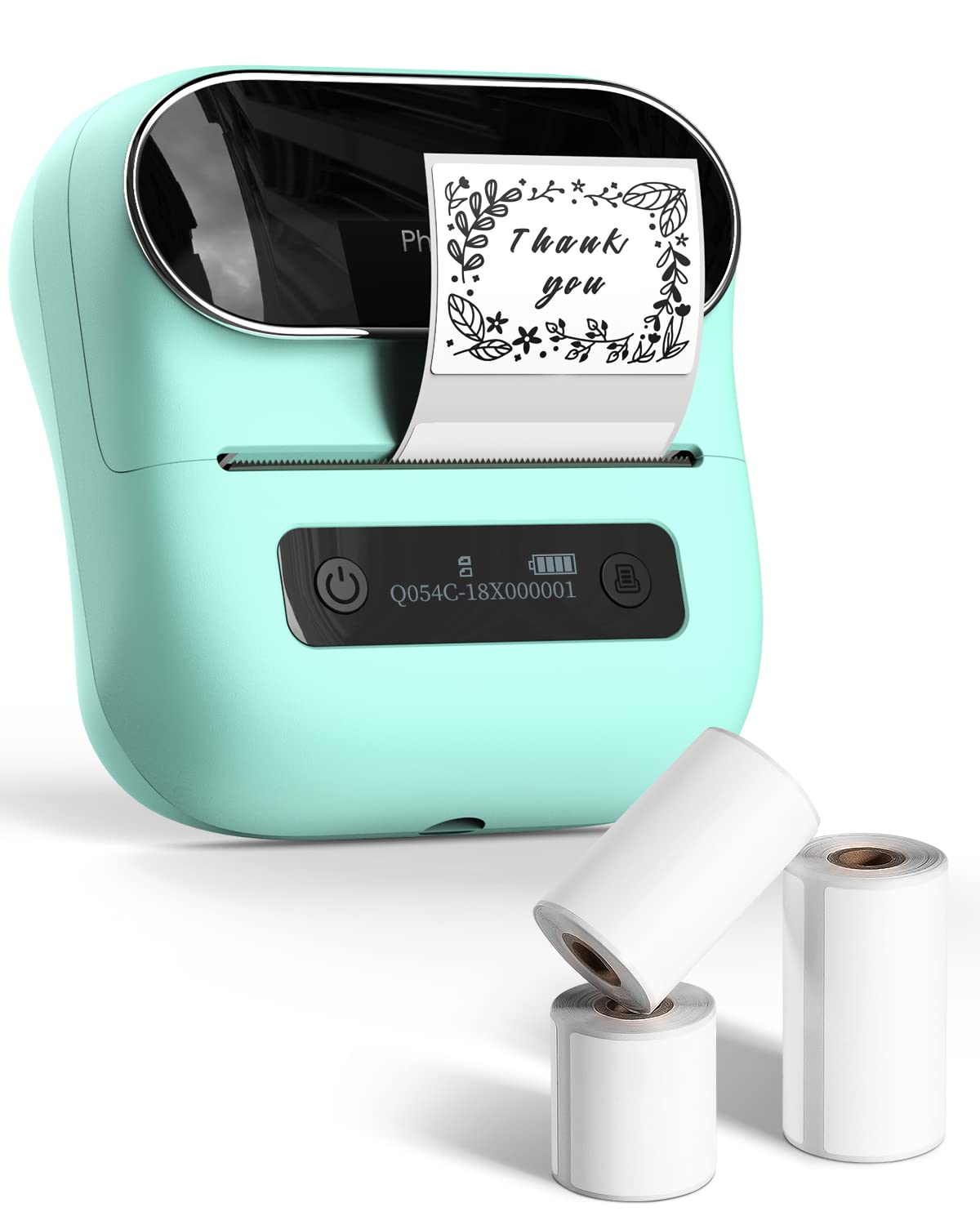
- Supports label widths from 0.78 to 3.14 inches.
- Battery is described as supporting up to 36 rolls of continuous printing.
- Works with phones and tablets over Bluetooth and PCs over USB.
Best For: Home or small-business users needing a portable printer for labels up to three inches wide.
Omezizy D520BT Shipping Label Printer
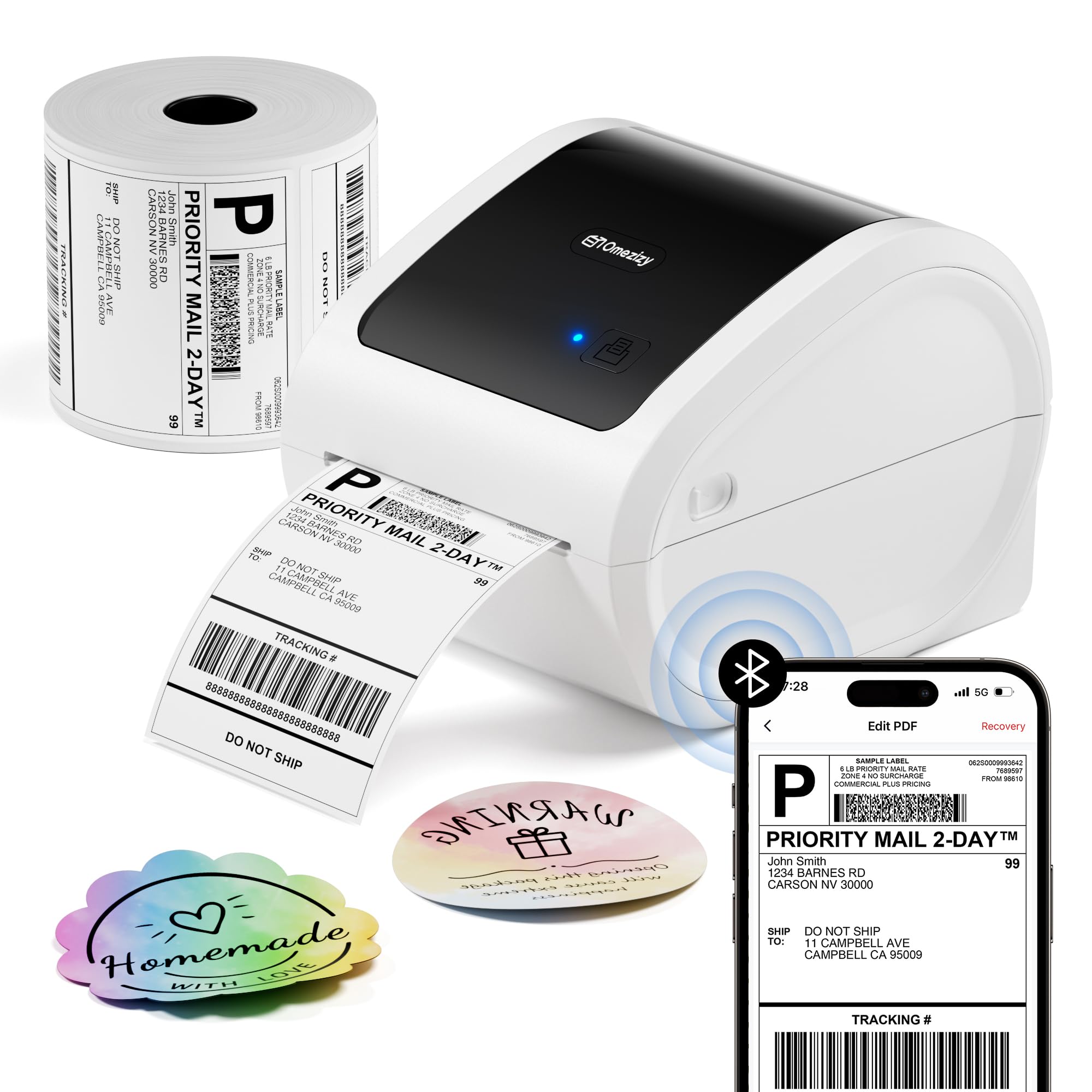
- Includes 500 white 4-by-6 labels.
- Supports both internal roll and rear fanfold loading.
- Connects using Bluetooth or USB.
Best For: Small online sellers who want a desktop shipping printer with labels included.
Creative Templates for Home Organizing
Phomemo Label Maker Machine with Tapes - White/Clear/Gold Labels, D30 Portable Handheld Bluetooth Mini Label Makers, Multiple Templates Fonts Icon, Thermal Small Label Printer Rechargeable for Home
The Phomemo D30 is a compact Bluetooth label maker built around app-based design. It supports fixed-length and continuous label tape, and the included set has white, gold, and clear tapes.
Its app offers templates, symbols, frames, fonts, barcodes, and QR codes, along with tools such as Excel import and OCR. Thermal printing needs no ink, toner, or ribbon, but the output is black text; color comes from choosing patterned tape.
The rechargeable unit suits pantry, school, cable, and small-business labels. Check that the tape format and smartphone workflow fit your routine before buying.
Best For: Home and school users who want a portable phone-connected printer with varied templates.
| Pros | Cons |
|---|---|
|
|
Choose the D30 if you want a pocketable, phone-first labeler for varied home or school tasks and value its included tape choices. Its support for continuous as well as fixed-length tape gives it more layout flexibility than models limited to fixed sizes.
Check the available tape widths and app compatibility for your phone before ordering, since neither is fully detailed here. If your priority is printing conventional shipping labels, this is not the format-focused choice.
Pocket-Sized Fixed-Format Labels
Nelko Label Maker Machine with Tape, P21 Bluetooth Label Printer, Wireless Mini Label Makers with Multiple Templates for Organizing Office Home, Pink
The Nelko P21 is a compact Bluetooth label printer designed for smartphone use. Its app includes templates, icons, borders, and materials, with options for text, barcodes, QR codes, and images.
The printer uses direct thermal technology and produces black text, while patterned label tape can add color. It supports fixed label lengths and does not accept continuous tape.
The built-in rechargeable battery makes it portable, though a charging adapter is not included. It cannot print from computers and has a noted compatibility restriction with Google phones running Android 14, so check your device and label format before choosing it.
Best For: Phone users who want a small labeler for home, office, or classroom tags.
| Pros | Cons |
|---|---|
|
|
The P21 fits buyers who mainly print short, pre-sized labels from a phone and want a large template library. Its fixed-length format can simplify common name and storage tags, but it limits custom label length compared with tape systems that support continuous stock.
Check your phone's operating system compatibility, especially if using a Google phone on Android 14, and plan for the missing charging adapter. Choose a computer-capable labeler if desktop editing is part of your workflow.
Two Tape Widths in One Maker
NIIMBOT Label Maker Machine D101 Label Printer Portable Wireless Connection Multiple Templates Available for Phone Easy to Use Office Home Organization USB Rechargeable
The NIIMBOT D101 combines phone-based Bluetooth design with support for both 0.5-inch and 1-inch label tapes. Its app can create text, graphics, symbols, logos, barcodes, and QR codes, and it includes voice and picture recognition functions.
The maker uses BPA-free direct thermal printing at 203 DPI, so it needs no ink or toner. The rechargeable battery is described as lasting up to two months on one charge, though actual use will vary.
This format is aimed at home and school organization rather than broad desktop printing. Confirm that the compatible tape types suit your labeling tasks.
Best For: Home organizers who want rechargeable phone-based printing across two label widths.
| Pros | Cons |
|---|---|
|
|
Consider the D101 if you want one compact maker for two commonly useful tape widths and mostly print from a phone. Its 0.5-inch and 1-inch support is the standout practical distinction, while thermal printing keeps consumables focused on label tape.
The notes do not establish computer compatibility or the tape included in the package, so verify those details before buying. If you need wider shipping labels or regular computer printing, choose a desktop model designed for that workflow.
Iron-On and Continuous Label Options
Phomemo Label Maker Machine with Tape, P12 Bluetooth Small Label Maker with Multiple Templates Thermal Transfer Ribbon Printer Machine for Home, School, Teacher, Classroom
The Phomemo P12 works with thermal labels and thermal transfer labels, opening up uses such as everyday pantry tags and iron-on labels for clothing. It supports continuous printing and has a built-in cutter.
Its app connects through Bluetooth with iOS and Android and includes templates, borders, symbols, barcode tools, Excel import, OCR, and voice recognition. Power comes from a USB-C connection or six AAA batteries, which are not included.
The listed label options include waterproof and oil-proof stock, although specific material choices matter to the end use. Check tape compatibility and the power setup you prefer before buying.
Best For: Crafters and home users seeking a compact maker for both ordinary and specialty labels.
| Pros | Cons |
|---|---|
|
|
The P12 is a strong fit for buyers who want more than basic storage tags, especially crafters or households making iron-on labels. Continuous printing and a built-in cutter add flexibility, while USB-C or AAA power lets you choose a charging or replaceable-battery approach.
Before buying, confirm the exact tape widths and specialty label stock available for the jobs you have in mind. Users who only need simple phone-made pantry tags may not need its broader media support.
Spreadsheet Batch Printing for Small Labels
Memoqueen M110 Label Maker - M110 Barcode Label Printer Portable Bluetooth Maker Machine with Tape for Name Labels, Small Business, Address, Logo, Clothing Price Tag, Mailing, with 40x30mm Label
The Memoqueen M110 is a Bluetooth label maker for phone-based printing on 20–50 mm label stock. It comes with one 40-by-30 mm thermal label roll and uses the Print Master app for templates and custom layouts.
Excel batch printing can help with repeated names, prices, or product labels, while OCR converts text from images into editable text. The portable unit is intended for small labels and explicitly is not for shipping labels.
It supports a range of label shapes and finishes, but stock selection matters for your task. Check app and device compatibility before building a workflow around batch output.
Best For: Small businesses that need mobile label design and batch printing on narrow stock.
| Pros | Cons |
|---|---|
|
|
Choose the M110 for compact product, price, address, or barcode labels where Excel batch printing could save repeated setup. Its 20–50 mm width range and included small roll make it a different tool from a dedicated shipping printer.
The explicit shipping-label limitation matters if you mail packages; select a dedicated shipping model for that use. Confirm which label materials fit your products and whether the phone app supports your preferred workflow before committing.
Wider Labels with Tool-Free Loading
Phomemo M221 Label Maker Machine with 3 Tapes, 3 Inch Bluetooth Thermal No Ink Label Maker for Address, Barcode, Small Business, Home for Phone/PC, Space Gray, with 430 Pieces Labels | Bluetooth Thermal No Ink Label Maker for Address, Barcode, Small Business, Home for Phone/PC, Space Gray, with 430 Labels
The Phomemo M221 supports label stock from 0.78 to 3.14 inches wide, making it a wider-format option for addresses, barcodes, product labels, and home organization. It connects over Bluetooth to a smartphone, tablet, or PC, and its app is built for custom label design.
Tool-free roll loading and an integrated holder aim to simplify changing media, while a non-slip base and alignment system support consistent placement. The printer uses thermal stock, so ink and toner are not part of the workflow.
Check the exact label types you plan to use and whether its desktop footprint suits your workspace.
Best For: Small businesses and home offices that need labels wider than pocket-size tape.
| Pros | Cons |
|---|---|
|
|
The M221 makes sense if your work calls for labels wider than pocket printers typically handle, such as product, barcode, or address labels. It pairs a broad media range with Bluetooth device support and a tool-free loading design.
Its 3.14-inch maximum width means it is not suitable for standard shipping labels, so separate that need from general labeling. Check whether your desired label stock is compatible and whether the package includes media, since those specifics are not established here.
Shipping Printer with Broad Device Support
Nelko Bluetooth Thermal Shipping Label Printer, Wireless 4x6 Shipping Label Printer for Small Business, Support Android, iPhone and Windows, Widely Used for Amazon, Shopify, Etsy(White)
The Nelko PL70E is a desktop thermal printer for shipping and other wider labels. It supports 1.57-to-4.1-inch media in roll or fanfold form, and handles text, barcodes, and QR codes.
Wireless printing is available through the Nelko app, while USB provides a wired option across a range of computer systems. The product information gives a speed of up to 72 sheets per minute and 203 DPI clarity.
Thermal output avoids ink and toner. Before buying, confirm that your computer or phone meets the compatibility details and that your shipping service's label format falls within the supported width.
Best For: Small sellers who want a 4-by-6 shipping workflow with wireless and USB connections.
| Pros | Cons |
|---|---|
|
|
The PL70E is aimed at sellers who need shipping output plus flexible connection options for computers and phones. Its supported width tops out below some common wider printer ranges, so check the actual label width your shipping workflow requires.
It also supports both roll and fanfold stock, which can help fit different workspace arrangements. Confirm your Mac chip and phone operating system compatibility, then compare its media limits with your routine before selecting it.
High-Speed 4-by-6 Shipping Labels
Phomemo High-Speed Shipping Label Printer 220mm/s - 4X6 Wireless Thermal Label Printer for Small Business, Compatible with iPhone, Android, Shopify, Amazon, USPS, Pink
This Phomemo thermal shipping printer is focused on 4-by-6 package labels and claims a print speed of 220 mm/s, with output up to 80 labels per minute. It connects through USB and supports Windows, Mac OS, and Linux.
Automatic label recognition and calibration are intended to align media and reduce wasted labels. It is a monochrome thermal printer, so there is no ink or toner to replenish.
Its listed setup is computer-centered; phone Bluetooth support is not included in the supplied details. Consider it if shipping throughput and straightforward desktop printing matter more than phone connectivity or general small-format labeling.
Best For: Online sellers printing frequent 4-by-6 labels from a USB-connected computer.
| Pros | Cons |
|---|---|
|
|
This model suits a seller whose main task is printing shipping labels from a computer and who values a high listed throughput. USB and auto-calibration keep its use centered on a desktop setup, while the 4-by-6 format serves common package workflows.
The supplied details do not establish wireless phone printing or whether labels are included, so confirm both if they matter. For pantry, clothing, or small product tags, a compact label maker with narrower media is likely a more natural fit.
Portable Three-Inch Format for General Labels
Phomemo M220 Label Maker, 3 Inch Bluetooth Thermal Label Printer for Barcode, Address, Labeling, Mailing, File Folder Label, Label Maker Machine with 3 Rolls of Labels
The Phomemo M220 is a portable Bluetooth label maker for widths from 0.78 to 3.14 inches. It supports common label content such as text, barcodes, QR codes, and OCR, with templates and icons in the Print Master app.
The 2200 mAh battery is described as supporting up to 36 rolls of continuous printing, with an auto-sleep mode to reduce power use. It connects wirelessly to phones and tablets, and by USB to supported computers.
This is not a 4-by-6 shipping printer. Check the operating system and label width requirements, especially if your work depends on Linux or full-size mailing labels.
Best For: Home or small-business users needing a portable printer for labels up to three inches wide.
| Pros | Cons |
|---|---|
|
|
The M220 is a fit for portable, general-purpose labeling when you want widths up to 3.14 inches and phone or tablet Bluetooth printing. It adds USB computer connectivity and a battery figure suited to extended work, but its media ceiling rules out 4-by-6 shipping labels.
Computer users should check the operating system, since Linux is excluded in the stated compatibility. Compare your common label widths with its supported range before choosing it over a narrow tape-based organizer.
Shipping Printer with a 500-Label Starter Roll
Bluetooth Shipping Label Printer with 1 Roll Labels - D520BT Thermal Label Printer, Thermal Printers with Built-in Label Holder, Come with 500PCS 4x6 White Labels (500 Labels/Roll)
The Omezizy D520BT is a thermal shipping label printer that supports widths from 1 to 4.6 inches and includes 500 white 4-by-6 labels. Its built-in holder accepts internal rolls and rear fanfold paper, while Bluetooth and USB provide options for phone and computer workflows.
The product notes cite 150 mm/s printing and up to 72 four-inch-by-six-inch labels per minute. It is compatible with major sales and shipping platforms, though printing requires downloading the label and uploading it to the guide's app.
Check that this app-based handoff fits your order process and that the included roll size matches your immediate needs.
Best For: Small online sellers who want a desktop shipping printer with labels included.
| Pros | Cons |
|---|---|
|
|
The D520BT is a practical match for an online seller who wants an included 4-by-6 roll and the choice of Bluetooth or USB. Its built-in holder can take either a roll or fanfold stock, which offers some setup flexibility.
The important workflow tradeoff is that a platform label must be downloaded and then uploaded into the app for printing. Make sure that process suits your order volume and software habits before choosing this bundle.
How to Choose Label Makers
How We Picked Label Makers
We selected ten distinct models that fit different labeling jobs represented in the candidate set. Compact Bluetooth makers cover pantry, school, clothing, cable, and small business tags.
Wider desktop labelers suit product labels, barcodes, and repeated batches, while a small number of shipping printers address buyers who need package labels rather than narrow organizer tape.
The first filter is the actual media format. Several portable models handle tape or labels under a few inches wide, and some support continuous stock while others use fixed label lengths.
Shipping units handle wider formats, including 4-by-6 labels. A seller may call both a label maker, but the useful choice depends on the job and the label stock you can obtain.
Comparing Label Makers by Format and Workflow
For everyday organization, compare app support, label width, and stock type. The D30 supports continuous and fixed-length tape and arrives with three tape colors.
The P21 offers a large template library but does not support continuous tape. The P12 stands out for thermal transfer options and iron-on labels, while the D101 supports two tape widths in one phone-connected machine.
For wider product or address labels, compare the M221 and M220 with shipping printers. The M221 offers tool-free loading and PC, tablet, or phone Bluetooth connections, while the M220 has a rechargeable battery and USB computer support.
Neither is for full-size 4-by-6 shipping labels. The PL70E and D520BT are better aligned with package workflows; the D520BT includes a starter roll and accepts roll or fanfold media.
| Product | Standout features | Best for |
|---|---|---|
| Phomemo D30 Label MakerCheck Price |
| Home and school users who want a portable phone-connected printer with varied templates. |
| Nelko P21 Label MakerCheck Price |
| Phone users who want a small labeler for home, office, or classroom tags. |
| NIIMBOT D101 Label MakerCheck Price |
| Home organizers who want rechargeable phone-based printing across two label widths. |
| Phomemo P12 Label MakerCheck Price |
| Crafters and home users seeking a compact maker for both ordinary and specialty labels. |
| Memoqueen M110 Label MakerCheck Price |
| Small businesses that need mobile label design and batch printing on narrow stock. |
| Phomemo M221 Label MakerCheck Price |
| Small businesses and home offices that need labels wider than pocket-size tape. |
| Nelko PL70E Shipping Label PrinterCheck Price |
| Small sellers who want a 4-by-6 shipping workflow with wireless and USB connections. |
| Phomemo High-Speed Shipping Label PrinterCheck Price |
| Online sellers printing frequent 4-by-6 labels from a USB-connected computer. |
| Phomemo M220 Label MakerCheck Price |
| Home or small-business users needing a portable printer for labels up to three inches wide. |
| Omezizy D520BT Shipping Label PrinterCheck Price |
| Small online sellers who want a desktop shipping printer with labels included. |
Choosing an App-Based Label Maker for Home or School
A compact Bluetooth printer is useful when labels are created on a phone near the shelf, classroom, or craft table. Look at what the app can build: simple text and icons may be enough for storage bins, while batch import, QR codes, OCR, or barcode design can help with inventory and repeated item tags.
The Memoqueen M110 supports Excel batch printing, while the D30 and P21 offer broad design libraries.
Check whether the printer works with your device before relying on a mobile workflow. The P21 includes a Google Android 14 restriction in its compatibility details.
The NIIMBOT D101 and compact P21 are phone-centered, while the M221 and M220 extend Bluetooth use to computers or tablets. Also check if a charging cable or adapter is included and whether you prefer a rechargeable battery, USB power, or replaceable batteries.
When a Label Maker Needs Wider Media
Small-format label makers are not substitutes for shipping printers. The M110, M220, and M221 address narrower labels, and the M220 explicitly does not print 4-by-6 stock.
For package shipping, inspect the supported width range, connection method, and label-loading design. The Nelko PL70E handles roll or fanfold stock up to its stated width limit; the Omezizy D520BT accepts 4-by-6 media and includes 500 labels.
Speed figures can help compare high-volume shipping options, but they do not settle setup fit. Consider whether your device can print through Bluetooth or requires USB, whether the platform label must pass through a companion app, and if the printer has an internal bin or needs space for external stock.
Label width and software steps should match the labels you already use.
Who Should Buy Which Label Maker
For pantry and school labels, start with the Phomemo D30, NIIMBOT D101, or Nelko P21 according to tape flexibility, width options, and phone compatibility. Choose the Phomemo P12 if iron-on and specialty label types matter.
For Excel-driven product or price tags, the Memoqueen M110 is a focused option; choose the M221 or M220 when wider labels or computer connections are more important.
For package shipping, compare the Nelko PL70E, Phomemo high-speed shipping printer, and Omezizy D520BT. The PL70E offers Bluetooth and USB with roll or fanfold media, the Phomemo emphasizes USB throughput, and the D520BT includes 500 labels with two loading methods.
Match the printer to your actual software, device, and label stock before choosing.